Last updated: 15 October 2026
Update (15 Oct 2026): When we last checked, Amazon.com.au listed these products mentioned in this article as currently unavailable: VEVOR Ergonomic Kneeling Chair (heavy duty) and Luxsuite Ergonomic Kneeling Chair. The prices shown for them are the last prices we saw, so check the listing before you plan a purchase. We will update this article when they are back in stock.
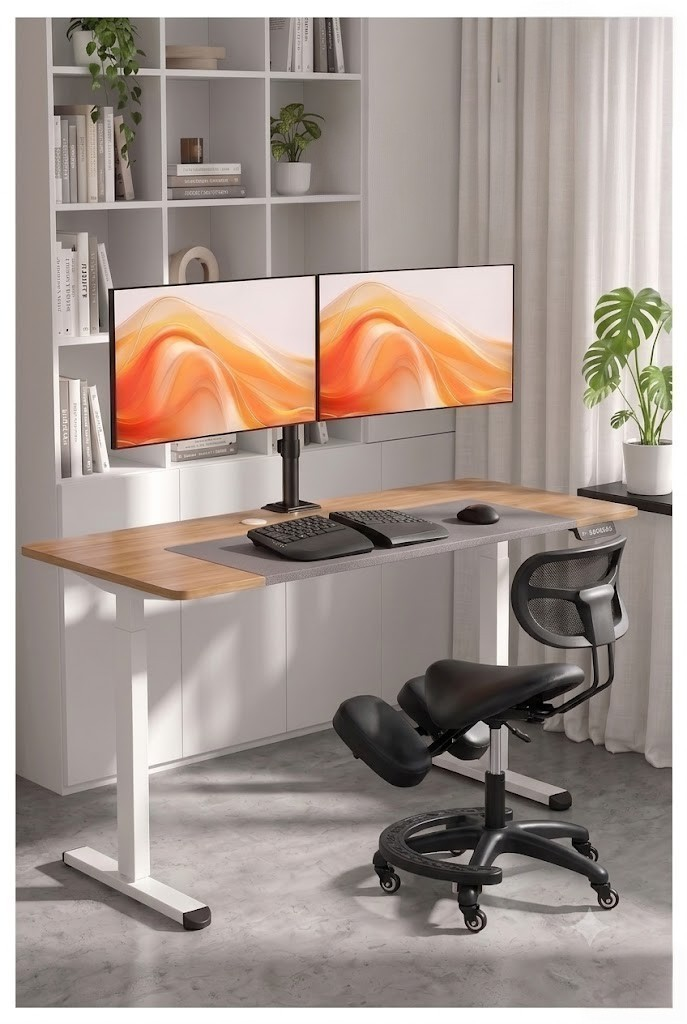
This best ergonomic home office setup guide for Australia doesn’t require thousands of dollars. Here’s every piece you need — with specific picks available on Amazon.com.au for every budget in 2026.
Most Australian home offices are quietly wrecking people’s backs, necks, and wrists. A dining chair, a laptop flat on the table, and eight hours a day is a recipe for chronic pain. This guide walks through every component of a genuinely ergonomic setup.
The complete setup at a glance
Component 1: The chair
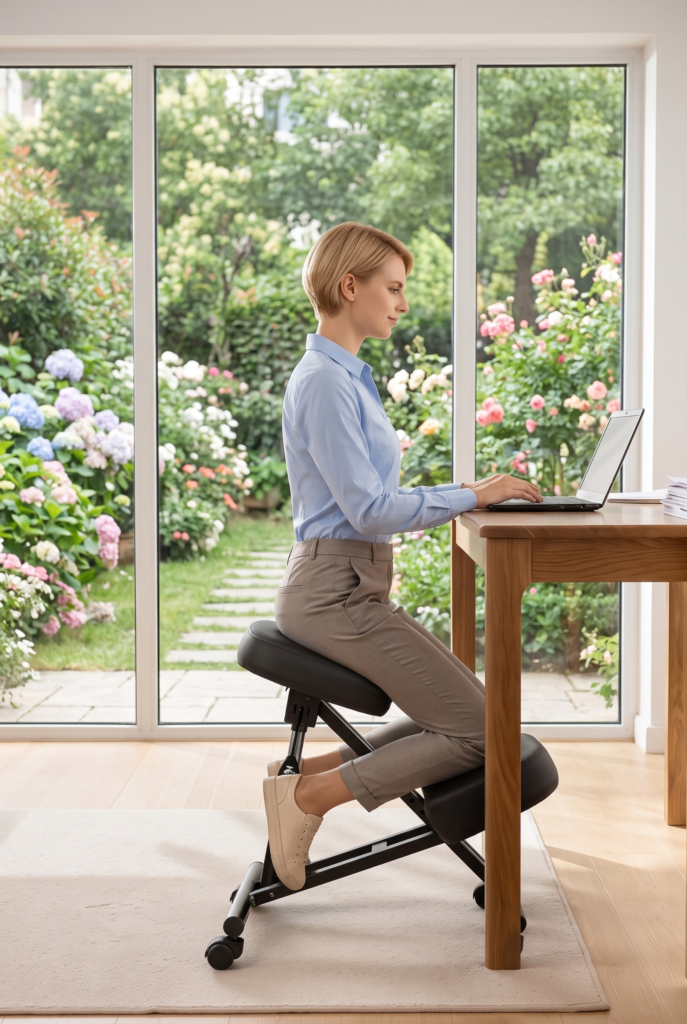
A kneeling chair tilts your pelvis forward, restoring your spine’s natural curve and engaging your core — without you having to think about sitting up straight. It’s the highest-impact, lowest-cost ergonomic upgrade you can make to a home office. Here are the four best options currently on Amazon.com.au to suit every budget, verified against each chair’s own review page.
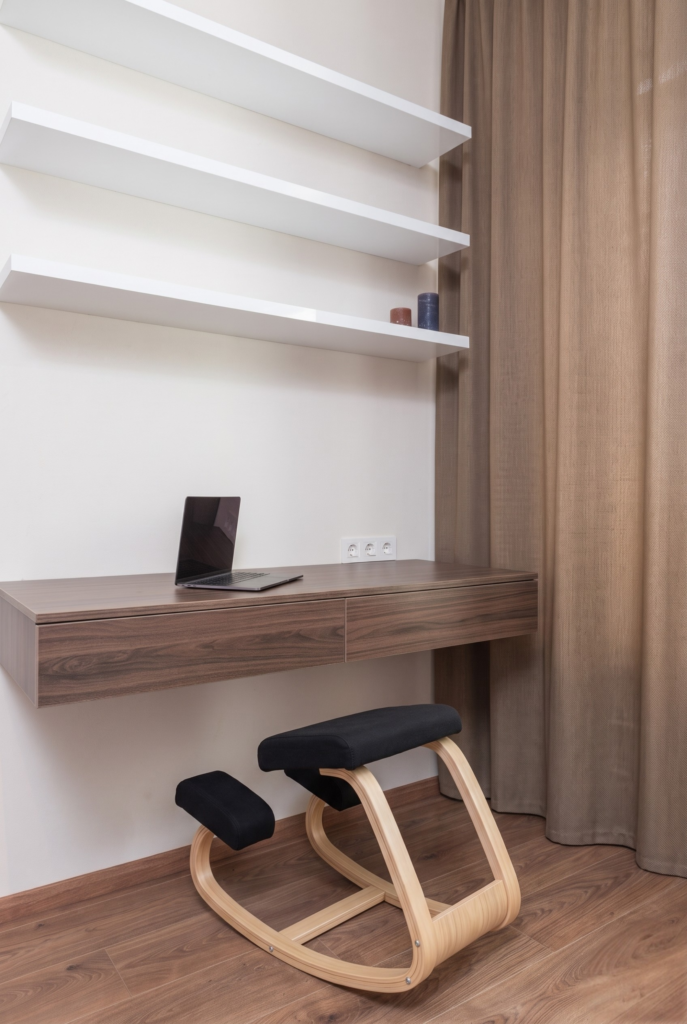
Luxsuite Kneeling Chair
Birch & Poplar Rocking Base · $109.95 AUD · 4.5★ (6 reviews)
⚠️ Only 6 reviews so far — a strong average, but a thin sample. Read them before buying.
Giantex Kneeling Chair
150kg Capacity · ~$99.95 AUD · Rocking Wood Frame
Costway Kneeling Chair
High-Density Sponge Pads · ~$89.95 AUD · 150kg Capacity
⚠️ Only 3 customer reviews on this listing so far — buy with caution.
VEVOR Kneeling Chair
Height Adjustable · ~$99.99 AUD · Linen Fabric
🔗 New to kneeling chairs? Read: Are kneeling chairs worth it? · How to sit on a kneeling chair correctly
Component 2: The desk — go sit-stand
Giantex 140×70cm Electric Standing Desk
Amazon’s Choice for standing desks in Australia. At $159.96 for a 140×70cm surface, it’s outstanding value. Three memory height presets make switching between sitting and standing effortless with a single button press — pair it with your kneeling chair for a full kneel-sit-stand rotation throughout the day.
Component 3: Monitor arm — the $46 fix for neck pain
ERGOMAKER Dual Monitor Mount
A monitor sitting flat on your desk forces you to look down, loading your neck with up to 27kg of force. A monitor arm raises your screen to eye level for under $46 — more ergonomic improvement per dollar than almost anything else in your setup. The ERGOMAKER supports dual screens with full height, tilt, and swivel adjustment.
Component 4: Monitor
24–27″ 1080p / 1440p IPS Monitor
Any 1080p or 1440p IPS monitor in the 24–27″ range is a major upgrade over a laptop screen. Mount it on your monitor arm at eye level and neck strain disappears. IPS panels give you accurate colours and wide viewing angles — important for long work sessions.
Component 5: Keyboard & mouse
Ergonomic Split Keyboard + Vertical Mouse
A split keyboard keeps your wrists straight instead of angled inward. A vertical mouse keeps your forearm in a natural handshake position rather than rotated flat. Together they significantly reduce the risk of RSI over months and years of daily use — one of the most underrated upgrades in any home office setup.
Component 6: Accessories
- Anti-fatigue mat (~$40–$60): Essential once you’re standing part of the day. Reduces fatigue in your feet, legs, and lower back during standing periods.
- Desk lamp (~$20–$50): Reduces eye strain and improves video call lighting. Position perpendicular to a window to avoid screen glare.
- Footrest (~$25–$45): Keeps your knees at 90° if your feet don’t sit flat at the right chair height.
Build it for your budget
💡 Where to start: If you can only buy two things, get a kneeling chair and a monitor arm. The Costway at $89.95 and the ERGOMAKER at $45.99 together come in under $140 and fix the two biggest causes of home office pain.
💡 Chair quick guide — which to choose
- Luxsuiteif you want a highly-rated wood chair in our whole comparison and don’t mind a smaller review sample.
- Giantexif you’re over 100kg or want the rocking wooden base for extra core engagement throughout the day.
- Costwayfor the lowest-cost entry into ergonomic sitting — under $100 with 150kg capacity and thick sponge pads, though currently unreviewed on Amazon AU.
- VEVORif you want height adjustment to fine-tune your position as you switch between kneeling and your standing desk.
Related reading:
→ Are kneeling chairs worth it? Honest pros and cons
→ How to sit on a kneeling chair correctly
→ How long should you actually sit in a kneeling chair each day?
→ Kneeling chair vs balance ball chair — which wins?
→ Luxsuite kneeling chair review — worth it in Australia?
→ Giantex kneeling chair review — worth buying in 2026?
→ Costway kneeling chair review — worth buying in 2026?
→ VEVOR kneeling chair review — worth it in Australia?
This post contains affiliate links. If you purchase through these links, I may earn a small commission at no extra cost to you. I only recommend products I’ve genuinely researched.